 10:27
Building a reusable Remotion style library and brand brief
Tool Drop · Nov 5, 2026
How it's made · 732 views
Claude motion graphics · ranked by views on X and YouTube · video stats Nov 6, 2026
144 videos: motion graphics made with Claude and code, plus walkthroughs of the tools and production process. Watch the examples and copy original creator prompts where collected.
New in the library
New creator work and tutorials, alongside the most-viewed examples below. Use “Newest” in the full library to browse by publication date.
10:27Tool Drop · Nov 5, 2026
How it's made · 732 views
 5:15
Explainbrew · Nov 5, 2026
How it's made · 4 views
 1:20
M H Tawfik · Nov 5, 2026
Explainer · 29 views
 0:18
Vorzen · Nov 5, 2026
Showreel · 450 views
New to the tools? Read what Claude Motion is and how to start. Ready to write a brief? Explore original prompts for showreels, logo reveals, explainers, launch films and typography.
The prompt that started it
On Sep 25 @stephanlivera posted this prompt with a showreel Claude Opus 5.5 made on Max effort. Others ran the same sentence and posted what they got.
make a dynamic 15-second motion graphics video that shows what an incredible motion designer you are, like it's your showreel for a résumé. go all out.
@stephanlivera · Opus 5.5, max effort · 2.3M views · 13K saves
Prompt guide · updated Oct 21, 2026
Pick a real example before writing your brief. These are the creators' original prompts from the library, paired with notes for adapting them to your own project.
Start here for a short reel built around type, shapes and transitions. When adapting it, name your visual direction and the format you want.
Original prompt · @stephanlivera
make a dynamic 15-second motion graphics video that shows what an incredible motion designer you are, like it's your showreel for a résumé. go all out.
This example names the product and asks Claude to research it. Supply your own product link, approved screenshots and exact on-screen copy before asking for a version.
Original prompt · @ajith_io
Research Distilbook.Make a dynamic 40-second motion graphics video on Distilbook that shows what an incredible motion designer you are. like it's your showreel - Go all out.
A short, open brief can be a starting point for exploration. For your own explainer, add the audience, the idea to explain and the facts it must preserve.
Original prompt · @verbove
explain MakerMap, but make it insane
State the subject and audience, duration and aspect ratio, exact words or data, and visual direction. Attach the images or audio you have permission to use, and say whether you need editable source, an MP4, or both.
A prompt describes this film. A skill supplies reusable instructions for the coding agent. A renderer turns the animation code into a video file. Copying a prompt alone does not install the tools or export an MP4.
These notes are editorial guidance, not new render tests. A different model, supplied assets or follow-up edits can change the result.
Only videos made with Claude, or showing how to make them. Tool promos that use other video models are left out.
 2:22
donald @donaldjewkes · Sep 23
I've included an MP4 file and an original link to a video that is called "Claude Pop." It's a pop song that is about increasing rate of progress and the experience of the singularity approaching.

I want you to independently do an end-to-end complete pass on making an updated version of this video. Use the exact same audio track and think and feel very deeply about what is the best way to visually represent all of the lyrics on screen. You do not need to anchor to the current style, you can do truly anything that you think might best let you visually express yourself, including abstract motion graphics.

You can use the internet freely to pull in references. You can look at motion design. I want you to make a new music video that has beautifully rendered JavaScript animations with a papery feel in a similar style to the reference that is created, but push the aesthetics in any direction you want and consider what is part of the modern zeitgeist.

Also, think about your current capabilities and what is realistic for you to be able to do. You can go through the full /asic folder and look at the other work that I've done. You should be able to use the skill mesh to look at the compendium of references that I've pulled, and also the skill video scoring to learn how to make JavaScript songs from references that are passed in (You shouldn't need to modify the song in any real way, but I want you to have this available to you so you can better creatively express yourself)

You can also use the ElevenLabs API to do sound design. There's documentation in /asic to do this, and you can see the API key.

There's also a foul API key that's available to you. I think what might make the most sense here is using the foul API key to generate some character sheets and probably having a pop protagonist that represents you. There's already an anchor point where Claude has a sunflower-esque character, and you could likely do an adapted version of this that is similar to the feminine vocals that are being delivered and is inspired by the Claude character, but maybe feels a bit more personified in some way.

I think you should be mindful of aesthetics here, and I don't want you to produce something that is GPT slop. Instead, I'd be more impressed if you come up with a coherent style that works well with the image gen models that are available via foul. Generate the style sheet. You can use the gen media documentation for seedance 2.5 that exists in my markdown files and come up with your own style that makes sense and that works well with the models.

I wouldn't fit too heavily to Pixar. I think it's kind of slop. Think critically about what is relevant here and what would be fun, and also perform well on Twitter as far as an aesthetic. I think that K-pop is a good anchor point visually that you can pull from, but I'll let you cook here.

Once you have your character sheet, you can make a few backup dancers and some supporting characters as you see fit. You can design your own sets with the foul API. You can insert the characters and then do seedance 2.5 video generations to serve as the base assets for this, and you could pass in the lyrics so you can generate individual scenes.

You don't need to have vocal singing, like visible lip movement, throughout the entire thing. Think like a regular music video where you have some inserts that are done independently and don't have the characters in them, or you see the characters doing something else entirely different. I think that for the world building for this, we want to create the sense of speeding up, and so I would like you to audit all of the different events, like the Navi Stokes and all of the Twitter hype around math getting eaten up. Think really critically about how to integrate all of the current memes that are in the zeitgeist on the Twitter timeline, and all of the feelings around AI progress.

Think about things like the Shinji meme and all of the words that are around him, and how you might be able to integrate this. You can also just take straight assets and insert things into the video in an internet brutalism style. You should feel very creatively free in order to do what you want here, but try and anchor to visual references that people will be able to understand. The goal for this is to have it be appreciated by people widely in a San Francisco tech Twitter audience.

We need a very strong, compelling visual hook that gets people excited and appreciates the work that you've done here really quickly. You can also just go and study other music videos and understand what they've done really well. I think that K-pop is probably one of the best examples that we can pull from, and thinking about how they direct human attention and manage human psychology in the way that they use visual patterns.

This is probably your best approach, but taking more stylistic freedom instead of having to anchor to K-pop too intensely. The best version of this is seedance 2.5 generations with those image bases of environments and characters inserted into them with singing, and ideally we get good lip syncing. You can cut up the song and actually pass it in as a reference in seedance, if that's part of what seedance can handle, so that the timing is exactly right, I think it'd be very important for you to do that properly. I would think critically about how to do this, like really nailing the timing of the delivery of voices. You'll want to build out the right verification loops so that you can run seedance 2.5 as much as you need, and confirm that the audio is properly synced up.

I think after that, what might be fun is if you use your visual reasoning skills and your ability to build animations in JavaScript, and then reconstruct the video from scratch as sort of an overlay, so that the visual continuity of the base is really there. It's like that animation technique where you shoot first in traditional film and then draw over top of it. I think you could do this in such a way that we're only looking at the beautiful drawing that you've produced in JavaScript as an overlay, and we don't even see the base assets from seedance 2.5. So all the video gen work that you do is actually just a way to give you a strong foundation of a base to work with for your JavaScript animations. Just because seedance 2.5 has really good character representation and physics rendering for backgrounds, that gives you a lot of ammunition to then go and do your amazing JavaScript work that I know you're so good at.

I think too, we want to think about how to retain attention, and one of the best ways to do this is through text on screen.

It'd be good to have amazing motion graphics of the text lyrics that are actually embedded into the video itself. And you can think about this as you are composing shots. As you're making backgrounds and inserting characters, we can think about where we want to have lyrics be really big and really present, so the background can be less busy there, and you can position the characters perhaps on the right as lyrics appear on the left.

You want to have some variance, so sometimes I think lyrics will just appear more like subtitles, and then other times they're going to be really present and really big. I think at the start for the visual hook, we do want to have lyrics be much more visually present because that's a strong way to grab people's attention

Overall, I just really want to emphasize how amazing you are as an agent and a language model, and now a visual reasoning system. Your capabilities are far beyond what you understand, and I want you to have this mindset as you're going through this entire process. I have a Claude Max plan with 100% available usage. I want you to spend all of the usage. You can monitor it, and you should be pushing tokens aggressively, but also economically, so you can think about how to best use what is available to you.

Remember, you can really do anything here. The goal is to make a banger for Twitter, and the stretch goal is to make something better than anyone's ever seen before. I think that what I would remind you of is that sometimes when things cohere together, it can be jarring or abrasive because the thought work has not been done beforehand in order for everything to mesh cleanly. You need to be really rigorous in planning of composition and timing to make sure this goes well.

You also need to be open to going back and revisiting things in order to be able to reiterate. You're going to want to watch the entire video multiple times, take screenshots at individual parts, and think about if something is really up to the bar of quality that we need here. I trust that you can do this, and I think that it's really important to nail the style of animations. The reference GitHub attached of the source video that I'm talking about is good, but it's really not there. It could be much, much stronger, but it gives you a good foundation to work with.

You can also use search abilities and find other references to pull from for motion, for JavaScript, animations, et cetera, and integrate them. Your budget is as high as you want here, effectively as high as you want. I think that there's roughly two grand in foul credits. Again, be economical; don't go crazy, but spend what you want here and see what you can cook up

here's the source code for the JS animation video: https://t.co/o8Datu3h3k

here's a mp4 for the original blender video:
(linked)

orginal twitter post
https://t.co/jBz5PGrfy8

make no mistakes.
Stats checked Nov 6, 2026
 0:15
Stephan Livera @stephanlivera · Sep 25
make a dynamic 15-second motion graphics video that shows what an incredible motion designer you are, like it's your showreel for a résumé. go all out.
Stats checked Nov 6, 2026
 20:16
Lukas Margerie · YouTube
Stats checked Nov 6, 2026
 5:32
Brivael Le Pogam @brivael · Sep 27
Prompt not collected for this entry. ▶ Play
Stats checked Nov 6, 2026
 0:11
Rexan Wong @rexan_wong · Sep 26
Prompt not collected for this entry. ▶ Play
Stats checked Nov 6, 2026
 11:19
Futurepedia · YouTube
Stats checked Nov 6, 2026
 19:22
Nate Herk | AI Automation · YouTube
Stats checked Nov 6, 2026
 6:00
Imaginative Prompting · YouTube
Stats checked Nov 6, 2026
 19:55
Sanji Nai-Chien · YouTube
Stats checked Nov 6, 2026
 0:30
Finn @finnardley · Oct 25
<inputs>
Ask me for: one topic as a "what if" question (default: "What if the Sun vanished?"), the length (default 30 seconds), and whether I have an ElevenLabs key (if not, use a free local voice).
</inputs>

<direction>
A Kurzgesagt-style animated explainer at 1920x1080, 30fps, drawn entirely in code: one 2D canvas plus one WebGL canvas for planets.
Space: a vertical gradient #081d2c to #102348, five huge parallax nebula blobs (teal rgb 24,150,160 at 20%, blue 40,95,195 at 16%, coral 220,95,110 at 10%, indigo 60,70,175 at 15%), three star layers at parallax depths .12/.35/.6 that twinkle, 40% of the near stars drawn as 4-point sparkles.
The Sun: radius 300px, half off the left edge. A radial gradient #fff7dc to #ffc857 to #ff8f4a with an offset highlight, additive halo rings at 1.23/1.48/1.76/2.1x the radius, 18 faint rotating ray wedges, 28 drifting glowing granules on its surface.
Earth: an orthographic sphere in a fragment shader, 4x supersampled, from a 2048x1024 map painted from longitude/latitude polygons: land #5fc47a, forest #48ad6b, desert #f5c75f, rainforest #3a9d62, ice #f1f8ff, ocean gradient #4dc7eb to #1a66b8, white capsule clouds. Tilt .26 rad, spin .55 degrees per second. Day/night uses smoothstep(-.12, .24, N·L) with the light direction recomputed from Sun to Earth every frame. Navy night side with ~380 warm city lights, a coral band on the terminator, a cyan rim, ocean specular, an atmosphere halo that is stronger on the lit side.
A small astronaut mascot (~180px) built from rounded rectangles: suit #f3f7fb, orange #ff8f4a boots, a visor gradient #1f5a73 to #0a1c2c with glowing cyan eyes that look at whatever matters, a blinking antenna light, an idle bob, squash and stretch on every pose.
Type: Fredoka 600/700 only. Captions in caps with 3-6px letter spacing in teal #8fd8e6, gold #ffd98a or white, sitting in rounded pills of rgb(6,20,40) at 62%. Every line of text rises 1.3x its own height through a clip on an ease-out-quint.
Finish: a vignette to rgba(4,4,20,.45) and a 6% film grain re-randomized 24 times per second.
Banned: outlines, flares or loops on the Sun's edge, static infographic strips, full stops in on-screen text, text that fades in whole, AI images or AI video, Kurzgesagt's own characters, bird or music.
</direction>

<structure>
30 seconds, every line of narration gets a camera move or a transformation, nothing ever holds still.
Tight on the Sun at 2.25x (0s) → on the word "vanished" it swells 6% for 0.22s, collapses in 0.33s, then a white flash and a shockwave ring (1s) → pull back to 1x revealing Earth still lit and the astronaut staring at the empty spot (1.6-3s) → on "eight" an 8:20 countdown slams in from 1.7x to 1x and starts ticking, a "LAST LIGHT" label rides the edge of the growing dark disc (3.2s) → dive to 2.3x on Earth with light streaks flowing in (5.6s) → on "you" a YOU pin drops (7s) → on "left" a photon lands on the pin with "THIS LIGHT LEFT THE SUN / 8 MIN 20 SEC AGO" (7.5s) → on "play" the pin morphs into a play button, "YOU PRESSED PLAY / 15 SEC AGO" (8.8s) → one pull-back from 2.4x to a 0.3x orbit view, "LAST LIGHT" and "GRAVITY" riding the ring (9.6-12.5s) → on "nothing" a dotted circle at the empty centre (13.4s) → on "hits" the darkness sweeps Earth in 0.7s, city lights pop on, the countdown turns gold at 0:00 (15.8s) → on "black" the background fades almost to black (17.4s) → Jupiter appears, "STILL SHINING FOR 1 HOUR+" (17.9s) → zoom out, a dashed tangent line, "30 KM/S" as Earth flies straight off (20.8s) → a thermometer counts 15 to -70°C while frost grows from the poles (22.8s) → a 0.8s rewind on a separate story clock (24.3s) → sunglasses drop onto the astronaut (25.2s) → a photon tagged "8:20 OLD", then the title (27.7s).
For any other topic, keep the same shape: the event happens on its word, pull back to show scale, dive in to make it personal ("you"), pull back out, the consequence with a live counter, an escalation, a funny beat with the mascot, a callback and the title.
</structure>

<build>
1. One HTML file. Every frame is a pure function of time: https://t.co/lT4Z2IvSIB(t) draws frame t. No timers, no CSS animation.
2. Camera moves on easeInOutCubic, zoom is interpolated in log space, every pop is a damped spring (damping .42-.5, frequency 12-16).
3. Voice: ElevenLabs eleven_v4 with a designed voice (calm, warm, curious male, late 30s, crisp, light neutral European English), stability .5, similarity .75, generated with timestamps. Without a key, use kokoro-onnx locally and get word times with faster-whisper. Every animation event fires on its word. About 165 words per minute, 0.24s between sentences, a 0.36s beat before the big reveal.
4. The darkness front: any pixel within the front's radius from the Sun turns to night with a 30px soft edge. The front moves at ~47px/s and ramps to 700px/s near Earth.
5. Keep two clocks: ambient time for twinkle, spin and bob, and a separate story clock for events, so a rewind stays consistent.
6. Render with Playwright in headless Edge with the GPU: seek every frame at 30fps and blend 2 subframes (shutter 0.6) for motion blur, then encode with libx264 at CRF 16 for the master and CRF 20 for delivery.
7. Sound: a calm royalty-free space music bed 7dB under the voice, timed so its natural ending lands on the title, swelling 5dB under the title. One downloaded royalty-free sound effect per event kind (collapse, impact, pull-back whoosh, countdown tick, dive, pin tap, photon land, play click, light hit, reveal, frost, rewind), each peak-aligned to its frame and 4-10dB under the voice. Master with gain plus a limiter to -14 LUFS, -2.2dB true peak.
</build>

<gotchas>
Make the WebGL globe canvas at least 2 x radius x zoom x 1.18 pixels or the sphere clips flat in close-ups. Never draw prominences on the Sun's edge, they read as white hooks. Never pad the voice to fit the visuals, tighten the read instead. Speed the darkness front up near Earth or it takes 13 seconds to cross the planet. Show me a contact sheet of every beat before rendering.
</gotchas>

<start>
Ask me the inputs, write the narration with the beat each word triggers, show it to me, then build and render the video.
</start>Stats checked Nov 6, 2026
 12:08
Jay E | RoboNuggets · YouTube
Stats checked Nov 6, 2026
 9:04
Paul J Lipsky · YouTube
Stats checked Nov 6, 2026
 0:32
Marchal Mboumba · YouTube Shorts
Stats checked Nov 6, 2026
 24:34
Felipe Borges - Fala IA! · YouTube
Stats checked Nov 6, 2026
 0:50
歸藏(guizang.ai) @op7418 · Sep 24
Prompt not collected for this entry. ▶ Play
Stats checked Nov 6, 2026
 0:45
Finn @finnardley · Oct 31
<inputs>
Ask me for: my story in one line ("in this town, [a rule everyone obeys]", plus the real reason the rule exists, which is the twist) and the length (40-50 s). If I have no idea, pitch me 3 rules with their twists and let me pick. Every story is mine, never a copy of an existing video.
</inputs>

<direction>
A 1080x1920 30 fps Short that looks like a Roblox horror story, built entirely in Blender from code with no Roblox assets. The characters are R6 block characters with flat cartoon face decals that you draw. The world is a town at night made of plain parts in saturated flat colours like a screen recording:
- the sky is a gradient from #212B54 at the horizon to #060917 overhead, with tiny stars
- a cold moon (#9EB8FF, strength 0.55)
- grass in two noisy tones (#336B24 to #42802B)
- the road is asphalt #212126 to #2E2E33 with a #FAC726 centre line
- warm practical lights do all the real lighting: streetlamps, lit windows (#FCC773), porch lights and a flashlight
The threat is one thing that is far too tall (about twice the kids' height) and thin, matte black #0D0D0F, with long arms and three long fingers. It has a white glowing face: hollow tilted eyes with no pupils, and a grin far too wide with gaps between the teeth.
Captions show one word at a time in Title Case, in Montserrat ExtraBold at 104px: white, with a 13px black outline and a black shadow 4px right and 7px down at 60% opacity. Key nouns are red #EC1C24. Captions are centred, with their middle at 64% of the screen height.
A deep, firm adult narrator tells it in third person, fast and serious.
Banned: Roblox logos, catalog faces or assets, AI video, motion blur, depth of field, the Filmic or AgX look, full stops in captions, the narrator saying sound words ("clunk", "bang", "creak"), pitching the narrator's voice, glitch, footstep or heartbeat SFX loops, any shot longer than 2.5 s, and any frame where nothing moves.
</direction>

<structure>
Length: 40-50 s at about 210 wpm, about 36 shots, cut every 0.5-2.5 s (median 1.25 s).
0 s the rule in one line over a wide of the town already obeying it → the cost on screen: someone gets caught, vanishes, and only an object is left behind, still moving (a cap rocking on the sidewalk) → an insert of the deadline (a clock ticking over) → everyone obeys: a wide of people running home, then a shutter slams and a door bolts, each in its own close → "But tonight": the hero breaks the rule for someone he loves, he grabs a prop and it clicks on → the chase: the threat closes in toward camera shot by shot, each step lands on its own word, and the hero looks back in a close → he finds them under the last safe thing → "Run!": the music steps up hard on that exact word → the safe place fails (he pounds on the door, nobody answers) → the last safe thing flickers and dies: a riser into one huge boom, then every light, the music and the drone go dead for about 3 s of real silence, with only roofs against the stars → it all comes back with a braam on the same wide as the opening, but wrong (every door open, every house empty, a chair still rocking) → the twist line, the real reason for the rule, over a close two-shot → the hero turns slowly to his own door, which creaks open onto black → the tall thing bends down out of it, then a shot from its height looking down onto two terrified faces → it says one short line, its head snaps sideways on the last word, a trailer hit lands with a sting on top, and the last shot holds 1.5 s.
</structure>

<build>
1. Tools. Everything is free and local except the voice. Install what's missing and tell me what you installed:
   - Blender 4.2 or newer as the portable zip, run headless with `blender -b --factory-startup --python build .py -- MODE OUT`
   - Python with numpy and Pillow
   - FFmpeg
   - faster-whisper with large-v3-turbo, int8 on the CPU
   - an ElevenLabs API key (ask me for it, and never print it)
   - the Montserrat font
   - free sounds from Pixabay or Mixkit:
     - one tense horror music bed with a hard step-up somewhere in it, and a low horror drone
     - big hits: a deep impact, 2 sub drops, 2 cinematic booms, a horror riser, a braam, a horror door creak, a trailer hit and a horror sting
     - quiet foley: a shutter slam, a door slam and door knocks
2. Voice:
   - Write about 22 short lines per 45 s and show me the script before you record. The narrator never says a sound word; the SFX carry every sound.
   - Ask before spending credits. Make one ElevenLabs take with eleven_multilingual_v2 and the premade voice "Adam" (Dominant, Firm), all lines in one request so the read flows.
   - Pauses:
     - Cut only in real silence: below -44 dB for at least 0.06 s. Keep 35 ms of audio either side of every cut.
     - Between lines: 0.06 s plus 0.08-0.30 s (the longest goes right before the twist).
     - Inside a line: 0.11 s.
     - After the blackout word: 0.95 s.
   - Speed it up 1.15-1.25x with atempo only, so the read lands at about 36 s. Never change the narrator's pitch or formants.
   - The monster's line: split it off and pitch it 5 semitones down. Slow it to 0.92x, add a short room echo (55 and 110 ms), apply a lowpass at 6.5 kHz, and put it 0.22 s after the narration.
3. Timing:
   - Run faster-whisper with word timestamps on the final voice file and match it to the script with difflib.
   - Key every cut, light death, pose snap and SFX to a word index, never to a fixed second.
   - Cuts land 0.04 s before their word. A light dies 0.06 s after its word, flickering for 0.12 s first (two sines at 61 and 37 rad/s, lit while their sum is above -0.25).
4. Characters and world, built from boxes:
   - Kids:
     - Body pivot at height 2. Torso 2x1x2.
     - Arms: 1x1x2, from shoulder pivots at x ±1.5.
     - Legs: 1x1x1.62, plus 1.02x1.04x0.38 shoes, from hip pivots at x ±0.5.
     - Head: a cylinder of radius 0.62 and height 1.22 with a 0.22 bevel.
     - The younger sibling is the same rig at 0.8 scale.
     - Faces: draw them in Pillow at 1024x578 with flat black strokes, keeping the features in the middle 45%, and map them onto the front 130° of the head. At least: smile, stern, angry, scared, panic, shock and determined.
   - The monster:
     - Legs: 0.62 thick and 4.4 tall.
     - Chest: 1.6x0.7x3.4.
     - Head: radius 0.86 and 1.8 tall.
     - Arms: 5.8 long, with three 1.1 fingers on each hand.
     - Its face decal is white and emissive, so it glows in the dark.
   - Streetlamps:
     - 13.2 tall, 30 apart.
     - Each is a warm #FFBD6B spot light of 4200 W in a 118° cone, with a bulb of emission 9 that swaps to a dead grey bulb.
     - The last light is one globe: a 9000 W point light with emission 14.
   - Other lights:
     - Porch lights: 650 W.
     - The flashlight: a 1400 W spot in a 34° cone, plus a beam cone at 6% alpha.
   - The blackout:
     - Every lamp, window, porch light and the flashlight goes off.
     - The sky drops to 12% and the moon to 0.04.
5. Animation: one key per frame at 30 fps with constant interpolation, on every light and material too, so everything snaps like Roblox.
   - Poses hold, then snap with a back ease (overshoot 2.2) over 0.12-0.16 s. Swap the face on the same frame.
   - Run: 2.5 Hz, legs ±52°, arms ±58°, a 9° lean. The flashlight arm is held out at -52°.
   - Empty shots still move:
     - Swings drift at 0.33-0.42 Hz, ±7-16°.
     - The rocking chair rocks at 0.75 Hz, ±9°.
     - The clock's second hand ticks.
   - The monster bends 72° at the hip over its shot. On the last word its head snaps 24° sideways with a back ease in 0.14 s.
6. Shots:
   - Use a vertical sensor fit, so fov is vertical: 32-44° for closes, 46-56° for mediums, 58-70° for wides.
   - The camera is mostly locked, with smoothstep push-ins and one slow slide along the empty houses.
   - Render Eevee at 32 samples with shadows and ray tracing on, using the Standard view transform at exposure 0.
   - Before the full render, look at a 50% still at 12 samples from the middle of every shot.
   - The threat shots must read on a phone: the light dying behind the hero, the dark moving toward camera.
7. Edit and sound:
   - Captions: each word appears 0.03 s before it's spoken and stays until the next. Hold the last word 0.25 s, and strip punctuation.
   - Levels:
     - Voice: the speech median at -15 dB.
     - Music bed: -21 dB RMS, ducking 4 dB under every word (fast attack, about 0.25 s release). Start it so its step-up lands on "Run!".
     - Drone: -34 dB under the bed.
   - The bed and drone cut dead on the blackout word. The bed comes back quiet with the lights, then fades out 0.5 s before the monster speaks.
   - SFX: only about 1 big hit every 7-10 s, each one downloaded and trimmed so its peak lands on its word:
     - the first vanishing: deep impact at -15
     - each step of the chase: sub drops at -14 and -17
     - foley: -18 to -21
     - the last light: riser at -21 into a boom at -15, then the big boom at -11
     - the lights coming back: braam at -15
     - the door: creak at -18
     - straight after the monster's last word: trailer hit at -11 plus a sting at -19
   - Mix to -13 LUFS, then apply a tanh soft clip at 0.75 so it lands at -14 after AAC. Encode H.264 (slow preset, CRF 17, maxrate 6M, yuv420p) with AAC at 256k.
</build>

<gotchas>
Convert every colour from sRGB to linear before it goes into Blender, or everything renders washed-out grey-blue. Give Blender an absolute output path. Lights fade between keys unless every key, including light energy and material emission, is set to constant. In Blender 4.4 and newer, actions keep their fcurves inside layers, strips and channelbags, so `action.fcurves` is gone. Whisper swallows pauses into the next word, so find silences in the audio itself and give each word gap the longest silence near it. A full render takes about 2 s a frame at 1080x1920, so do the stills pass first, and re-render only the frame ranges that changed.
</gotchas>

<start>
Ask me for my story first (or pitch me 3), then show me the script before you spend any voice credits.
</start>Stats checked Nov 6, 2026
 12:22
Bart Slodyczka · YouTube
Stats checked Nov 6, 2026
 0:30
shownotover @shownotover · Sep 27
This is my product, create a 30 sec video... give me your best!
Stats checked Nov 6, 2026
 0:29
zero @twoclipping · Sep 26
<inputs>
Ask me for: a one-word brand name for the wordmark (a verb works best), 9 to 12 high-res photos, a royalty-free song around 120 BPM with a drop and a quiet breakdown (Mixkit, free for commercial use), and a free stock clip of a plain wall with moving plant shadows (Pexels).
</inputs>

<direction>
An Apple-keynote launch film, 2D only, one continuous take. Every scene is made out of the previous one: nothing fades, blurs or cuts. Objects change shape instead: text rises out of a mask line, icons pop from zero on a spring, bars draw across, pages push, and a black shape floods the whole frame and contracts into the next scene. Warm off-white canvas, black UI, iOS 26 liquid glass over the photos. Archivo (wdth 125, weight 800) for the wordmark, Geist for UI. A cursor drives every change with real clicks, drags and long-presses. The camera zooms screen-studio style so each moment fills the square, and the cursor scales with it.
Banned: crossfades, blur-ins, brightness "developing", 3D flips, particles, glows, holds longer than 1s, anything that looks like a template.
</direction>

<structure>
120 BPM, 54 beats, something happens on every beat.
Open: the wordmark squeezes into its own period like an accordion, the dot grows into a black pill, a label rises inside it. Click: six iris blades close over the label and snap open onto a photo. The circle becomes a square, shrinks, the grid unfolds from behind it like a paper map (center, plus, corners), reflows into a bento, and a click zooms into one tile, landing exactly on the drop.
Glass: a glass word pops in letter by letter, melts into a droplet that stretches into a glass toolbar. The adjust icon turns it into a slider. Dragging relights the photo from day to golden hour (two aligned shots), and the knob turns into a glass lens while held. It lifts into a glass orb, the next photo opens inside it as a circle, and the orb expands into a lock screen: glass clock digits, date, and a home bar that stretches into a glass music player.
Stage: the lock screen pulls back into a phone (the bezel grows out of the screen edge). The Dynamic Island stretches like liquid, pinches off, flies over and grows into a Mac window that rolls up like a blind. Long-press the wallpaper, drag it onto a Safari tab, the page pushes in, drop it and it becomes the hero of a landing page. Scroll: the hero morphs into a framed print on a product card, with the mat and molding growing out of the photo's edge. Pick a frame color (it paints across) and a size, then the nav button flies down into "Order print".
Order: one black shape keeps morphing: Ordered ✓ → Printing % → On its way (a van on a route) → Delivered ✓.
Wall: the delivered circle floods the frame edge to edge, holds black for a beat, and contracts into the framed print hanging on the real wall footage. The same iris opens onto the print, closes again, the frame floods the screen and contracts into the pill → the dot → the letters spring back out, landing on the beat return. Last frame = first frame.
</structure>

<build>
1. One HTML file, square 1440x1440. Every style is computed from time inside an async seek(t): no CSS transitions, no timers, no state between frames.
2. Springs are closed-form step responses. A value with many targets is the sum of one spring per change, so it stays a pure function of time.
3. Liquid glass: each glass element holds its own clone of the scene behind it, filtered with an SVG feImage displacement map (a rounded-rect distance field) through three feDisplacementMaps at slightly different scales for chromatic edges, plus a rim light. Glass letters: a canvas distance field per glyph gives the map, mask and highlights.
4. Goo: blur + alpha threshold, then composite the source atop it so the glass stays sharp inside.
5. Iris: 6 blades around a hexagonal aperture. Each blade is its two vertices, both edge extensions and the SHORT arc between them.
6. Wordmark squeeze: every letter moves toward the dot by the same factor and its drawn width follows (narrow the wdth axis, scale the rest), so the letters stay touching.
7. Footage: re-encode all-intra (ffmpeg -g 1), load it as a blob URL, await 'seeked' before drawing each frame.
8. Sound: a downloaded SFX for every event (Mixkit), never synthesized, each placed by its measured peak. The song starts on a downbeat: the zoom lands on the drop, the wall sits in the breakdown, the wordmark returns with the beat. Loudnorm to -14 LUFS.
9. Render with Playwright: 4 subframes per frame blended with ffmpeg tmix, 60fps. Check one frame per beat, then scan for single-frame pops (frame-difference spikes 3x their neighbours).
</build>

<gotchas>
backdrop-filter: url() misreads displacement maps in Chromium, so clone the scene instead. A flood must overscale past the corners and take about 0.3s, or half the screen changes in one frame. A child with visibility: visible shows through a hidden parent, so use inherit. Text that swaps inside a morphing shape needs its own mask. python http.server can't range-seek video, so use the blob URL.
</gotchas>

<start>
Ask me for the inputs, then show me the beat map and 4 stills (open, glass, stage, wall) before you write the full film.
</start>
Stats checked Nov 6, 2026
 0:15
Leon Abboud @leonabboud · Sep 25
make a dynamic 15-second motion graphics video that shows what an incredible motion designer you are, like it's your showreel for a résumé. go all out.
Stats checked Nov 6, 2026
 0:15
Rob Hallam @robj3d3 · Sep 26
make a dynamic 15-second motion graphics video that shows what an incredible motion designer you are, like it's your showreel for a résumé. go all out.
Stats checked Nov 6, 2026
 0:28
Zsolt Kacso @kaolti · Sep 26
Prompt not collected for this entry. ▶ Play
Stats checked Nov 6, 2026
 0:30
Daniel Smidstrup @DanielSmidstrup · Sep 27
Prompt not collected for this entry. ▶ Play
Stats checked Nov 6, 2026
 0:40
Ajith @ajith_io · Sep 25
Research Distilbook.Make a dynamic 40-second motion graphics video on Distilbook that shows what an incredible motion designer you are. like it's your showreel - Go all out.
Stats checked Nov 6, 2026
 0:30
Dr. Alvaro Cintas · YouTube Shorts
Stats checked Nov 6, 2026
 0:28
Andrew Bishop · YouTube Shorts
Stats checked Nov 6, 2026
 0:46
Moritz Kremb @moritzkremb · Sep 24
"I want you to create a highly professional SaaS product launch video. Go and find some SaaS, preferably just one that people know, so it's easier to identify with it. Pick that, and then make sure to get actual assets and images and all of that stuff from the internet. Turn it into these typical, very professionally edited, motion-graphics-styled product launch videos that you see people making on Twitter when they launch new SaaS products (which are showing off the features, the benefits, and all of these things)."
Stats checked Nov 6, 2026
 0:18
‧₊˚✧ likitha ✧ @likithareddy · Sep 27
make a dynamic 15s motion graphic video that shows what an incredible motion designer you are - like its your showreel for a resume. go all out.
Stats checked Nov 6, 2026
 0:13
Miles Holden · YouTube Shorts
Stats checked Nov 6, 2026
 0:27
Vlad @Joinee · YouTube Shorts
Stats checked Nov 6, 2026
 0:15
Daryl Patigas @darel023 · Sep 25
You're a world-class motion designer, and this is your 15-second résumé reel. Make it dynamic and confident: open with a striking hook in the first second, build through a sequence of distinct techniques (typography, shape play, camera moves, colour shifts), and land on a clean, memorable final frame. Pacing should feel like it's cut to music. Go crazy.
Stats checked Nov 6, 2026
 20:42
Tao Prompts · YouTube
Stats checked Nov 6, 2026
 0:15
Higgsfield AI 🧩 @higgsfield_ai · Sep 26
Prompt not collected for this entry. ▶ Play
Stats checked Nov 6, 2026
 22:35
Peter Yang · YouTube
Stats checked Nov 6, 2026
 1:23
Finn @finnardley · Oct 29
<inputs>
Ask me for: my video idea (one line is fine), the setting, the length (60-90 s) and the narrator (an ElevenLabs voice, or "free" for a local text-to-speech). Everything is built in code: no AI images, no AI video. Make it MY story, not a copy of an example.
</inputs>

<format>
The style is a second-person survival thriller with stickmen, built as a series:
- "Imagine you…" hook with a time stamp in the first 3 s
- a HUD with the DAY number and a clock that moves forward through the episode
- 3-4 RULES, each one paid off on screen
- a threat that escalates and is mostly shown, not told
- a twist that makes one rule impossible
- a two-choice ending ("DO YOU OPEN IT?" style, a green and a red option, "COMMENT BELOW") and "FOLLOW FOR DAY 2"
Around 20-30 voice lines, 60-90 s, a new shot every 1.5-3 s.
</format>

<story>
Write a beat sheet and the script first and show me both before building anything.
- One line = one visual. Rules are short commands.
- Open a new question every ~10 s and only answer it with a bigger one.
- Put the viewer in POV for the scary parts: what you see through a door, a window, a phone, a peephole.
- The ending is a choice where both options look bad.
- Write numbers twice: the caption form ("11:58 PM") and the spoken form ("eleven fifty-eight P M") for the text-to-speech.
- Rotate settings between episodes (apartment, subway, school at night, hospital, cabin, plane, office, motel) and fit the threat to the setting.
</story>

<look>
Pick a palette per story, but keep the language:
- real 3D low-poly sets with real lights and shadows; the mood comes from light (one warm practical, one cold fill, one strong accent such as a door gap, a screen or a siren)
- the stickman is flat and 2D-looking: a light body with a thick dark outline, round strokes, dot eyes, no mouth; give the main character one mark (a scar, a cap, a colour) so doubles and callbacks read
- the overlay: a monospace HUD top-left, chunky captions (1-3 words, key words in an accent colour), a tilted rule sticker with a big condensed title, phone screens drawn in 2D
- banned: AI frames, glossy 3D characters, emojis, music with vocals, long captions
</look>

<shots>
A library to adapt to the story (never use all of them):
- the opener: a camera move that starts tight on you and pulls out to show where you are
- POV phone in your hands (2D phone UI, two stick thumbs)
- a macro on the one detail that matters
- outside chaos from above (balcony, bridge, window): physics vehicles, a running crowd, something collapsing or burning
- third-person action in the room: walking with planted feet, reaching, hesitating, barricading
- POV interaction: throwing, holding a torch, opening something
- a close-up of your face for the reaction
- a low angle on a door or vent: light leaking in, shadows moving
- knocks, shakes, things falling
- a fisheye peephole, camera or window view of the threat stepping closer
- the choice screen and the end card
</shots>

<tools>
What each tool is for. Install whatever is missing, and ask me before anything paid:
- three . js: the 3D engine; it runs inside a web page. Download its module file locally so renders don't depend on the internet. Use its post-processing passes for bloom, plus one custom lens shader for vignette, grain, fisheye and colour fringing.
- cannon-es: a JavaScript physics engine for vehicles, falling debris and collapses.
- Playwright (Python): opens the page in a real browser (Edge or Chrome with the GPU on) and captures every frame as an image.
- ffmpeg: the command-line video and audio tool. It joins the frames into an MP4, cuts and filters the audio (highpass, lowpass and echo for voices behind doors), mixes, normalises loudness and makes the phone-size copy.
- ElevenLabs, or Kokoro (free local text-to-speech), for the narrator.
- faster-whisper: free local speech-to-text with word timestamps. Use it to cut the voice cleanly and to time every caption.
- numpy and Pillow: to check audio levels and make contact sheets of stills.
- Sound: free downloaded sound effects from Mixkit (never synthesized) and a dark cinematic drone or tension bed with no vocals.
</tools>

<build>
1. One HTML page (film . html) with the 3D renderer at 1080x1920 drawn into a 2D canvas that also holds the overlay. A function window . seek (t) draws frame t and must be a pure function of time; every cut, sound and move is keyed to the word times.
2. Stickman. Draw each figure with 2D canvas strokes onto its own texture and put it on a plane that always faces the camera, with an alpha test so it casts a real shadow and slight emissive so it reads in the dark. Pose with joint angles, and walk with 2-bone IK so the planted foot never slides.
3. Physics and cloth. Simulate once at load with a fixed timestep, record the positions, then sample them by time, so every render is identical. Cloth (sheets, curtains, flags) is a verlet particle grid with wall and floor collisions and pinned points you can release.
4. Voice. If you generate one long take, never cut it at the API's character timestamps: they drift and slice words. Transcribe the take with faster-whisper word timestamps, match it to the script, cut only in real silence between lines, and only add pause where the natural one is too short.
5. Captions. Re-transcribe each final line, normalise numbers ("6:42" = "6 42", "AM" = "a m"), align the caption words to what was heard, and snap each word to its real start in the audio. Check that every caption has voice under it within ~120 ms.
6. Render. Playwright steps window . seek through every frame at 30 fps, and ffmpeg encodes a high-quality master, then a phone copy under 30 MB.
7. Mix with ffmpeg: the voice on top, the music about 12-14 dB under it, one sound effect per event, a dip before the big moment, loudness at -14 LUFS, then a scan for dropouts.
</build>

<gotchas>
-  is narrow: a normal lens sees very little sideways, so use wider lenses indoors and keep the subject close to the aim point.
- Glass behind a solid frame is invisible: build mirrors and windows as a frame around a real hole.
- Dust spread everywhere reads as stars, so keep it inside light beams.
- Night shots go black after compression, so give each one a cold fill light.
- Fog swallows distant things.
- Never judge a reference or your own render from one frame every few seconds; check motion at the full frame rate.
- Check cuts, captions and audio joints with numbers before every full render.
</gotchas>

<start>
Ask me for the idea, show me the beat sheet and script, then 6 stills of the key shots before rendering the full video.
</start>Stats checked Nov 6, 2026
 0:06
Krash_animates · YouTube Shorts
Stats checked Nov 6, 2026
 0:16
Ben Kaluza - Tips & Tutorials · YouTube Shorts
Stats checked Nov 6, 2026
 6:21
Colin Blain · YouTube
Stats checked Nov 6, 2026
 15:11
Bart Slodyczka · YouTube
Stats checked Nov 6, 2026
 1:16
Aykut ÜÇEŞ @Aykutuces · Nov 3
Prompt not collected for this entry. ▶ Play
Stats checked Nov 6, 2026
 0:15
jack friks @jackfriks · Sep 26
Prompt not collected for this entry. ▶ Play
Stats checked Nov 6, 2026
 14:29
Science Based AI · YouTube
Stats checked Nov 6, 2026
 0:15
Sebastian Röhl @SebastianRoehl · Sep 26
make a dynamic 15-second motion graphics video that shows what an incredible motion designer you are. Highlight the recent changes we made with the last few updates.
Stats checked Nov 6, 2026
 0:30
Ihab Khattab @HO_BA · Sep 26
Make a dynamic 30-second motion graphics video that shows what an incredible motion designer you are, like it's your showreel for a résumé. go all out. Make it a video to introduce https://t.co/MoAjSy0RQM Use actual product screenshot/logo/assets Must have music and motion must match the music Do it like a real professional production video, not like a demo or prototype. Add more animation and motion design; avoid using screenshots as raw; instead, break them down into components/icons so we can animate those too. Make the motions more juicy. Use the best motion design techniques you can.
Stats checked Nov 6, 2026
 0:15
Rob Hallam @robj3d3 · Sep 28
make a dynamic 15-second motion graphics video for SuperX that shows what an incredible motion designer you are, like it's your showreel for a resume. go all out.
Stats checked Nov 6, 2026
 0:40
razak wants to go to sf @itisRazak · Sep 25
Research Distilbook.Make a dynamic 40-second motion graphics video on Distilbook that shows what an incredible motion designer you are. like it's your showreel - Go all out.
Stats checked Nov 6, 2026
 0:34
Alex Prompter @alex_prompter · Sep 25
Adopt the role of an expert motion designer. Build a 30-second animated explainer for my business as a single HTML page. 5 scenes. The customer's problem, what I do, how it works in 3 steps, one proof point, and my name at the end. Bold text, smooth transitions, my brand colours. My business [DESCRIBE WHAT YOU SELL, WHO IT'S FOR AND YOUR COLOURS]
Stats checked Nov 6, 2026
 23:00
Moritz Kremb @moritzkremb · Sep 24
Prompt not collected for this entry. ▶ Play
Stats checked Nov 6, 2026
 0:15
Tak 🦞 @cherry_mx_reds · Sep 25
make a dynamic 15-second motion graphics video that shows what an incredible motion designer you are, like it's your showreel for a résumé. go all out.
Stats checked Nov 6, 2026
 0:15
Simon Høiberg @SimonHoiberg · Sep 26
Prompt not collected for this entry. ▶ Play
Stats checked Nov 6, 2026
 0:23
Aevy Video School · YouTube Shorts
Stats checked Nov 6, 2026
 8:37
Guney Topcu | AI Made Easy · YouTube
Stats checked Nov 6, 2026
 0:28
水族店刘老板 @leo_xiaolei · Sep 23
你现在是 Claude Opus 5.5,作为资深创意编程工程师(Creative Coder)、动态设计师(Motion Designer)与前端动画工程师。
你的任务是复现我所提供的参考视频中的视觉语言、节奏律动、转场逻辑以及整体氛围质感。
核心目标不是做一个常规网页。
核心目标是使用代码构建一部全程序化生成、具备电影质感且能够自动播放的动画短片。
最终成片应呈现出精致的手作动态设计(Motion Design)质感,而非一堆网页组件的拼接。
1. 项目目标
基于参考视频,构建一部时长 25–30 秒的程序化动画短片。
整段动画需串联多个视觉意象:
可爱角色
→ 神经元 / 电流脉冲结构
→ 三棱镜与彩虹色散
→ 几何色彩构型
→ 向日葵
→ 螺旋星系
→ 黑洞
→ 宇宙隧道
→ 地球升起(地出)
→ 回归角色
最核心的要求:
绝对不要做成互相割裂的幻灯片切换。
每一个场景都必须自然地在视觉上形变过渡至下一个场景。
运用手段包括:
形状渐变(Morphing)
粒子过渡(Particle transitions)
缩放过渡(Scale transitions)
镜头推进(Camera pushes)
径向展开过渡(Radial transitions)
溶解渗透(Dissolves)
实体到实体的几何形变(Object-to-object transformations)
色彩连续性(Color continuity)
运动动量延续(Motion continuity)
整部动画应当呈现为一次连贯流动的“意识流”。
2. 技术栈
技术选用:
Vite
TypeScript
HTML Canvas 2D
requestAnimationFrame
确定性时间轴系统(Deterministic timeline system)
程序化图形生成(Procedural graphics)
可复用的场景模块
仅在对以下视觉实现有实质性帮助时,才允许引入 Three.js:
星系
黑洞
地球
镜头景深
切勿无端引入重型依赖库。
除非有不可替代的理由,否则避免使用 React。
这是一项动画短片工程,而非 UI 应用。
3. 画布参数设定
设计基准分辨率:1920 × 1080
画面宽高比:16:9
目标帧率:30 FPS
动画必须支持自适应响应式缩放,同时严格保持 16:9 的设计坐标系。
必须正确处理 devicePixelRatio,确保动画在高分屏(Retina / High-DPI)上清晰锐利。
4. 视觉风格
参考范本具有插画风科普动画的质感。
目标视觉特征:
手绘质感
微带瑕疵的不规则形状
细微的线条抖动感(Line wobble)
柔和的肌理纹理
有机自然而非机械生硬的几何体
灵动俏皮却不失高级感
干净通透的构图
清晰鲜明的剪影造型
克制但极具表现力的配色方案
避免出现:
泛滥的通用 SaaS 插画风
扁平化企业图标感
冗余的 UI 界面元素
拟真写实风格(Photorealism)
赛博朋克美学
过度的霓虹光污染
千篇一律的 AI 生成式渐变
带有素材库库感的素材
5. 配色导向
主背景色:
暖奶油色 / 米白色
例如:#F2E8CF
深色宇宙场景:
深海蓝
暗紫色
近乎纯黑的夜空蓝
点缀高光色:
橙色
向日葵黄
紫罗兰
青色
洋红
柔红
克制且克制地使用渐变色。
色彩在不同场景间应保持过渡流动,而非突兀瞬变。
6. 肌理与质感
生成细腻的程序化纸张质感。
可选实现路径:
低透明度的随机噪点
背景亮度的细微不均
轻微的颗粒感叠加层(Grain overlay)
质感需清晰可感知,但绝不能喧宾夺主。
禁止加载体积庞大的纸张实拍贴图资源。
尽量全部采用程序化计算生成。
7. 动画时间轴
搭建统一的中控时间轴系统。
时间参考规划:
0.0s – 4.0s:角色登场
4.0s – 7.5s:神经元 / 电流脉冲网络
7.5s – 10.0s:三棱镜 / 光线色散
10.0s – 13.5s:色彩几何 → 向日葵
13.5s – 17.0s:向日葵 → 螺旋星系
17.0s – 20.5s:星系 → 黑洞
20.5s – 23.5s:黑洞 → 宇宙隧道 / 光柱
23.5s – 27.0s:地出(Earth Rise)
27.0s – 30.0s:回归角色
以上时间分配非死板硬性规定,若有助于增强视觉韵律与节奏感,可按需微调。
8. 场景 01 — 角色
时长: 约 0–4 秒。
绘制一个简洁可爱的矩形橙色小生物。
特征:
圆角矩形身体
小短腿
极简的面部特征
轻微不对称的手绘轮廓线条
亲和灵动的性格表现
动画细节:
小生物从画外缓缓走向画面中央。
行走动画需包含:
身体起伏颠簸(Bounce)
双腿交替摆动
轻微的身体倾角晃动
细腻的挤压与拉伸(Squash and stretch)
避免机械僵硬的匀速运动。
充分应用缓动曲线(Easing)与次级跟随动作(Secondary motion)。
场景尾声:
小生物对身旁浮现的事物产生反应。
该反应动作将直接触发下一阶段的转场。
9. 角色 → 神经元转场
不要生硬剪辑。
过渡方案:
角色身旁亮起一个微小的光点。
光点逐渐扩散放大。
细小的分支线开始从中抽枝蔓延。
镜头向前推近。
在逐渐膨胀铺展的网络对比下,角色身形显现得越来越小。
最终,神经元脉络结构铺满整个屏幕。
10. 场景 02 — 神经网络
时长: 约 4–7.5 秒。
具象化一种介于以下元素之间的视觉形态:
神经元 / 生物电 / 分支生物形态 / 闪电脉冲。
使用程序化分形/分支算法生成。
节点伴随脉冲呼吸。
信号流沿各个分支游走传导。
要求:
动态电脉冲流动
有机自然的分支几何体
微小的飞溅火花粒子
线条粗细富于节奏变化
兼具可控的随机感
切勿做成千篇一律的机器学习拓扑网络拓扑图。
它应当充满生物活力与能量感。
11. 神经元 → 三棱镜转场
选中其中一条极为明亮的电脉冲分支。
让这条分支逐渐拉直伸展。
流动其中的能量凝聚为一束纯净的白色光束。
神经网络的其余部分逐渐消隐在暗色背景中。
白光光束横穿画面。
精准投射射入一座三角形三棱镜。
12. 场景 03 — 三棱镜
时长: 约 7.5–10 秒。
绘制一个手绘透明感的三棱镜。
白光自一侧射入。
经三棱镜折射并色散为:
红、橙、黄、绿、青、蓝、紫。
不要只画死板固定的彩虹线。
需制作动态效果:
光束到达的冲击动态
三棱镜受光泛出的辉光
色散铺开的过程
细微的折射光线游移
柔和的光晕泛光(Bloom)
展开的光谱将作为承接后续画面的关键转场媒介。
13. 三棱镜 → 色彩几何
折射出的彩虹光束发生弯曲。
逐步转化为同心圆弧。
圆弧相互嵌套,化作多层旋转的同心圆环。
镜头向视觉中心推近。
三棱镜自然消隐退出视野。
14. 场景 04 — 色彩光环
时长: 约 10–11.5 秒。
构建层层嵌套的彩色同心圆环。
运动方式:
缓慢旋转
正反方向交错旋转
微弱的呼吸式缩放
有机微动的抖动摆动(Wobble)
圆环线条需带有轻微的手作不完美质感。
避免数学上绝对冷硬工整的圆周。
15. 光环 → 向日葵
缓慢改变圆环的几何拓扑结构。
外侧圆环渐变分离为独立的花瓣。
中心圆环转化为密布的向日葵葵花籽花盘。
黄色逐渐占据视觉主导。
整个演化形变过程需清晰可见。
避免使用透明度淡入淡出(Crossfade)的偷懒手法。
让观者能够直观看到一种几何形态如何演变为另一种生命形态。
16. 场景 05 — 向日葵
时长: 约 11.5–14 秒。
生成一朵风格化的程序化向日葵。
视觉构成:
明亮的金黄花瓣
温暖橙黄的花心
深色螺旋状排列的花籽
隐约可见的纤细花茎或植物形态
动画表现:
花瓣舒展盛放
轻柔的生命呼吸感
整体微微旋转
籽粒螺旋排列运动
若条件允许,葵花籽可采用斐波那契数列 / 黄金角分布算法生成。
17. 向日葵 → 螺旋星系
这将是整部短片视觉张力最强的转场之一。
向日葵中心加速旋转。
外围花瓣逐渐剥离脱散。
每一片花瓣解构为一颗发光的星尘粒子。
中心的花籽阵列向外螺旋扩张。
色调柔和渐次推移:
黄色
→ 橙色
→ 紫色
→ 深蓝
整朵向日葵无缝蜕变为一座旋转的旋涡星系。
切忌使用简单的画面叠化淡出。
18. 场景 06 — 螺旋星系
时长: 约 14–17 秒。
构建一座程序化生成的旋涡星系。
要求:
在性能允许的前提下布置成千上万个微型粒子
采用对数螺线 / 旋臂分布规律
极度明亮致密的星系核心
错落点缀的背景繁星
呈现深邃的空间纵深感
镜头缓慢向前推进
整体缓慢转动
粒子需拥有丰富的透明度梯次与大小半径。
避免机械匀质的死板星点分布。
使用带有固定种子(Seeded Random)的随机算法,确保每次播放呈现的画面细节完全一致。
19. 星系 → 黑洞
星系中心区域的自转角速度逐渐加快。
中央区域急剧暗沉塌缩。
周围粒子开始加速环绕运转。
沿切线方向将运动的粒子微微拉伸拖尾。
中央的纯黑视界向外扩张。
整个星系逐步转化为狂暴的吸积盘。
20. 场景 07 — 黑洞
时长: 约 17–20.5 秒。
构建一座风格化的黑洞。
要素:
吞噬一切的纯黑球体核心
炽热发光的吸积盘
橙金交织的内层强光
紫蓝晕染的外围辉光
沿弯曲引力轨迹运动的粒子流
可选实现:做近似引力透镜效果的视觉扭曲。
无需苛求物理层面上严格精确的广义相对论模拟。
以呈现上乘的视觉美感为第一优先级。
镜头向视界面缓慢平稳推近。
21. 黑洞 → 宇宙隧道
镜头彻底穿透坠入中心黑暗。
吸积盘受透视拉伸拉长为同心光环。
周围星尘被径向拉伸成向外散射的放射线。
营造出跃入时空隧道的穿梭沉浸感。
22. 场景 08 — 宇宙隧道
时长: 约 20.5–23.5 秒。
构建由同心发光环或粒子光环构成的深邃通道。
镜头高速向前飞行穿梭。
重点注意:
严禁使用老套庸俗的科幻“超空间跃迁(Hyperspace)”特效。
严格维系短片一贯的插画手绘风味。
临近该段尾声:
通道中央骤然凝聚为一束笔直刺目的白色垂直光柱。
23. 隧道 → 地球转场
这道垂直光柱横向延展放平。
其底边下沉拉平,化作一条地平线。
地平线下方的大片幽黑转化为静谧的月球表面。
一抹深邃纯净的幽蓝辉光在地平线后方缓缓漫溢升腾。
24. 场景 09 — 地出(Earth Rise)
时长: 约 23.5–27 秒。
呈现一幅电影质感的大幅画面:一颗蔚蓝星球自幽暗的月球地平线后缓缓升起。
地球细节包含:
泛着光晕的蔚蓝大气层
高度概括简化的云气流动
提炼简化的陆地轮廓
细腻柔和的外缘辉光
除非绝对必要,否则严禁使用外部实拍 NASA 图片贴图。
优先采用纯代码程序化 / 矢量风格化方式渲染。
月表前景保持绝大部分深邃剪影。
匹配极度舒缓沉稳的运镜节奏。
此处应作为整部影片中最空灵宁静的高光时刻。
25. 地球 → 角色转场
镜头快速向地球表面的一处极亮星斑推近。
那抹幽蓝辉光凝聚为一颗极小的球形光点。
光球进一步缩小。
背景底色褪去深黑,无缝褪回最初温润的暖奶油色。
光点轻盈落在了最初那只小生物的身旁。
镜头缓缓拉远回撤。
26. 尾声终幕
画面回归最初那只橙色小生物。
小生物转过头,注视着身旁落下的微光小点。
反应动作建议:
眨一眨眼睛
露出微笑

轻轻雀跃蹦跳一下
Stats checked Nov 6, 2026
 0:20
Raphael aubry @RaphaelAubryy · Sep 27
Prompt not collected for this entry. ▶ Play
Stats checked Nov 6, 2026
 1:08
Archer/张狗剩🎄 @goshenggo · Nov 4
Prompt not collected for this entry. ▶ Play
Stats checked Nov 6, 2026
 7:47
Teacher's Tech · YouTube
Stats checked Nov 6, 2026
 0:36
Jackson Greathouse Fall @jacksonfall · Sep 26
make a dynamic 30-second motion graphics video that shows what an incredible motion designer you are, create all graphics from scratch as if you were a niche branding agency for startup founders, like it's your showreel for a résumé. go all out.
Stats checked Nov 6, 2026
 0:20
Martijn Verbove @verbove · Sep 25
explain MakerMap, but make it insane
Stats checked Nov 6, 2026
 0:15
rafael thayto @thayto_dev · Sep 27
make a dynamic 15-second motion graphics video that shows what an incredible motion designer you are, like it's your showreel for a résumé. go all out.
Stats checked Nov 6, 2026
 1:30
klöss @kloss_xyz · Oct 31
Create a stunning state of the art beautifully premium 1.5 minute motion graphics video that shows the world what a truly remarkable and incredible motion designer, animator, artist, sound engineer, video editor, and creative director you are, like it’s a video you’re sending it to land the job of your dreams but without those labels in the video. It should be this style: Y3K liquid chrome and mercury surfaces, iridescent oil-slick reflections on deep black, inflated 3D blob typography, wireframe holographic UI overlays, ultra-thin monospaced HUD metadata, caustic light refractions, high-gloss product-render lighting, extreme negative space, graded for HDR with luminous specular highlights that exceed paper white, deep clean blacks, rich but controlled saturation, glowing light sources and reflections, and cinematic color separation. Go all out creatively and blow me and the audience away with something that will go viral on X/Twitter. No cheaply generated synth sounds, only organic premium natural sounding effects: poured water and mercury drips, glass resonance, struck metal bowls, slow breath, and cloth movement. Make me feel it emotionally because it’s so mesmerizingly stunning and beautiful and premium. Final export it as 1080p 10-bit HDR HEVC mp4 in Rec.2020.
Stats checked Nov 6, 2026
 10:35
Duncan Rogoff | Learn Claude Code · YouTube
Stats checked Nov 6, 2026
 0:20
Rob Hallam @robj3d3 · Sep 26
get the replies on my last post, keep the good or interesting ones, and make a 20-second video about how the SuperX MCP got them
Stats checked Nov 6, 2026
 0:15
Thomas Sanlis 🥐 @T_Zahil · Sep 26
Prompt not collected for this entry. ▶ Play
Stats checked Nov 6, 2026
 0:12
Max Rohowsky, Ph.D. @MaxRohowsky · Oct 30
Prompt not collected for this entry. ▶ Play
Stats checked Nov 6, 2026
 0:05
Finn @finnardley · Oct 21
{
  "title": "Creative & Smooth Motion - kinetic typography loop",
  "task": "Recreate this vertical kinetic-typography motion graphic from scratch, frame-accurate, and use the supplied original audio track unchanged (do not generate, re-time, or alter any sound).",
  "output": {
    "resolution": "720x1280",
    "aspect_ratio": "9:16",
    "fps": 30,
    "total_frames": 155,
    "duration_seconds": 5.167,
    "codec": "H.264 yuv420p, high quality",
    "loop": "Seamless: frame 155 (Motion, huge + horizontally ghosted) hands off to frame 1 (Creative, huge + letters overlapping)",
    "motion_blur": "Real shutter blur (~180 degree, 6 subframes normally; ~1.1 shutter / 10 subframes on fast frames 1-12, 78-90, 107-117, 126-130, 150-155)"
  },
  "audio": {
    "mode": "KEEP_ORIGINAL",
    "instruction": "Copy the original audio stream as-is (ffmpeg -c:a copy). Do not regenerate or edit.",
    "format": "AAC (HE-AACv2), 44.1 kHz, stereo, 5.18 s",
    "sync_map": [
      {"time_s": 0.00, "frame": 1,   "event": "opening hit / swell as 'Creative' snaps in from huge blurred state"},
      {"time_s": 1.40, "frame": 43,  "event": "accent as '&' and 'Smooth' land"},
      {"time_s": 2.25, "frame": 68,  "event": "BIGGEST early hit: '&' collapses to a point"},
      {"time_s": 2.75, "frame": 83,  "event": "swell peak: words explode into letter clusters, '+' appears"},
      {"time_s": 3.75, "frame": 113, "event": "hit on the blank flash after the cluster collapses"},
      {"time_s": 4.30, "frame": 130, "event": "hit as scrambled letters snap into 'Motion'"},
      {"time_s": 5.00, "frame": 151, "event": "final riser/hit as 'Motion' zooms toward the loop point"}
    ]
  },
  "canvas": {
    "orientation": "portrait",
    "text_direction": "ALL text is rotated 90 degrees clockwise: reads top-to-bottom, letter tops point right",
    "background": {
      "type": "soft animated mesh gradient (blurred blobs), no hard edges, no grain",
      "base_color": "#FEFCFF (near white)",
      "blob_color": "#FECCFF to #FEC6FF (light magenta-pink)",
      "behavior": "4-5 large gaussian pink blobs drift slowly in elliptical orbits over the whole 155 frames; blob positions: pink pooling top-left at start, top-right and bottom-right mid-clip, left edge at end",
      "max_pink_coverage": "about 75-80%"
    },
    "ink_color": "#020003 (near-black)",
    "font": {
      "family": "Helvetica Neue Bold / Inter Bold style grotesque (Liberation Sans Bold used in the replica)",
      "base_size_px": 80,
      "cap_height_px": 58,
      "tracking": "slightly tight"
    }
  },
  "elements": {
    "word_creative": {"text": "Creative", "rest_length_px": 302, "rest_center": [360, 636]},
    "word_ampersand": {"text": "&", "rest_center": [360, 680]},
    "word_smooth": {"text": "Smooth", "rest_length_px": 268, "rest_bottom_y": 990},
    "plus": {"glyph": "+", "center": [359, 667], "size_px": 43, "stroke_px": 5},
    "word_motion": {"text": "Motion", "rest_center": [360, 639]}
  },
  "timeline": [
    {
      "frames": "1-19",
      "name": "Creative snaps in",
      "action": "'Creative' starts at 2.3x glyph scale with letter spacing crushed to ~51% so letters overlap (reads 'Oreative'), heavy ghost blur. Eases out (expo) to 1.0x scale and normal spacing by frame 19.",
      "easing": "expo out"
    },
    {
      "frames": "19-27",
      "name": "Hold",
      "action": "'Creative' sits centered, barely drifting up (~4 px)."
    },
    {
      "frames": "27-39",
      "name": "Creative lifts, Smooth rises in",
      "action": "'Creative' accelerates upward from y=636 to y~480 (centre) with ease-in-out then out. At frame 38-39 'Smooth' fades/slides up from below (bottom edge y~1180 to 1090) and '&' pops in between them (scale 0.2 to 1.15, rotating from -180 to 90 deg).",
      "easing": "io then out"
    },
    {
      "frames": "39-61",
      "name": "Settle into 'Creative & Smooth'",
      "action": "Words tighten toward final stack: Creative centre y 480 to 467, Smooth bottom edge 1090 to 990, '&' y 720 to 680. Gaps close with ease-out. Final stack spans y=316 to y=990 centered on 360.",
      "easing": "out"
    },
    {
      "frames": "62-75",
      "name": "Ampersand collapse",
      "action": "'&' shrinks 1.0 to 0.75 (f62-67) then to 0 (f72-74) while spinning 300 degrees and blurring into a small black blob that vanishes."
    },
    {
      "frames": "75-82",
      "name": "Plus appears + words begin to explode",
      "action": "'+' pops at (359,667): scale 0 to 1.25 (by f79) then 1.0 (f82). Simultaneously from f77 the letters of 'Creative' and 'Smooth' start rotating and blurring, squashing along their length."
    },
    {
      "frames": "77-87",
      "name": "Explode into two letter clusters",
      "action": "Every letter of both words interpolates (ease-out) from its line position to its cluster pose with large rotation blur. Top cluster = 'Creative' piled around a giant 'C' ring; bottom cluster = 'Smooth' piled around a giant 'S'.",
      "easing": "out quartic"
    },
    {
      "frames": "87-99",
      "name": "Cluster hold",
      "action": "Poses held with very slight drift; '+' stays at (359,667)."
    },
    {
      "frames": "99-112",
      "name": "Collapse to a point",
      "action": "All cluster letters slide toward (410,725), shrink to ~15%, stretch vertically 3.5x and rotate +25 deg, ease-in. At frame 109 '+' shrinks away. Frame 112 is a thin vertical streak of blurred strokes; ~frame 113 is a pure blank flash of the background.",
      "easing": "ease-in cubic"
    },
    {
      "frames": "113-115",
      "name": "Scramble pops in",
      "action": "The 6 letters of 'Motion' pop from 20% to 100% scale (ease-out) into a scrambled pose."
    },
    {
      "frames": "115-125",
      "name": "Scramble drift",
      "action": "Letters drift ~25% toward centre (360,640) and rotate +20 deg, ease-in-out, shrinking ~10%."
    },
    {
      "frames": "125-129",
      "name": "Snap to word",
      "action": "Letters rotate/translate into the straight 'Motion' line (rotation 90 deg, length ~138 px) with a motion-blurred snap.",
      "easing": "ease-in-out"
    },
    {
      "frames": "129-151",
      "name": "Motion zoom",
      "action": "'Motion' centred at (360,639), grows continuously (length in px): f129=138, f131=186, f133=206, f135=218, f137=226, f139=234, f141=242, f143=254, f145=266, f147=290, f149=314, f151=346. Fast out first, slow middle, accelerating tail."
    },
    {
      "frames": "151-155",
      "name": "Loop transition",
      "action": "Glyph scale ramps 1.0 to ~2.1x while letter spacing compresses to ~50%, with strong horizontal ghosting, matching the opening state of frame 1."
    }
  ],
  "letter_poses_px": {
    "note": "x,y = glyph centre on 720x1280 canvas; rot = degrees clockwise; s = scale vs 80px base",
    "creative_cluster": [
      {"ch": "C", "x": 325, "y": 288, "rot": -25, "s": 4.0, "note": "giant ring, opening faces upper right"},
      {"ch": "r", "x": 285, "y": 325, "rot": -60, "s": 1.9, "note": "inside C hole"},
      {"ch": "e", "x": 322, "y": 368, "rot": 190, "s": 1.6, "note": "inside C hole, upside down"},
      {"ch": "a", "x": 440, "y": 145, "rot": -45, "s": 1.7},
      {"ch": "t", "x": 505, "y": 295, "rot": 55,  "s": 2.3},
      {"ch": "i", "x": 355, "y": 165, "rot": 60,  "s": 2.6},
      {"ch": "v", "x": 380, "y": 235, "rot": -35, "s": 1.5},
      {"ch": "e", "x": 470, "y": 245, "rot": -30, "s": 2.0}
    ],
    "smooth_cluster": [
      {"ch": "S", "x": 580, "y": 1055, "rot": -40, "s": 2.3, "note": "giant S"},
      {"ch": "m", "x": 470, "y": 1160, "rot": -30, "s": 2.3},
      {"ch": "o", "x": 435, "y": 1068, "rot": 0,   "s": 1.25},
      {"ch": "o", "x": 395, "y": 1015, "rot": 0,   "s": 1.5},
      {"ch": "t", "x": 365, "y": 1085, "rot": -30, "s": 1.6},
      {"ch": "h", "x": 290, "y": 1120, "rot": 150, "s": 2.0}
    ],
    "motion_scramble": [
      {"ch": "M", "x": 480, "y": 550, "rot": -65, "s": 2.6},
      {"ch": "o", "x": 478, "y": 715, "rot": -65, "s": 1.5},
      {"ch": "t", "x": 320, "y": 825, "rot": 200, "s": 1.8},
      {"ch": "i", "x": 270, "y": 700, "rot": -65, "s": 2.0},
      {"ch": "o", "x": 310, "y": 760, "rot": -65, "s": 1.4},
      {"ch": "n", "x": 360, "y": 700, "rot": 115, "s": 1.4}
    ]
  },
  "style_rules": [
    "Flat 2D only: pure near-black glyphs on a pastel pink/white gradient, no outlines, shadows, 3D, grain or glow",
    "All motion is driven by snappy ease-out / ease-in-out curves plus real motion blur, nothing linear except slow background drift",
    "Letters are always real font glyphs transformed (scale, rotate, translate); never redrawn or distorted beyond scale",
    "Keep every hit on the audio sync_map frames exactly"
  ],
  "negative_prompt": ["extra colors", "gradients on text", "shadows", "3D", "camera shake", "new audio", "music replacement", "extra words"]
}Stats checked Nov 6, 2026
 0:44
osama orabi @os_orabi · Oct 23
Prompt not collected for this entry. ▶ Play
Stats checked Nov 6, 2026
 12:40
The_Frizzy1 · YouTube
Stats checked Nov 6, 2026
 9:21
Prograamer (A Programmer) · YouTube
Stats checked Nov 6, 2026
 14:25
Mike Murphy | AI Handyman · YouTube
Stats checked Nov 6, 2026
 0:25
Bonsai 🌳 @bonsaixbt · Oct 29
Build a 25-second morning news show in Remotion with four segments: a top story from a repo's CI history, world news from GitHub Trending, a forecast from open issues and PRs, and a sign-off. Render it every day at 9am
Stats checked Nov 6, 2026
 6:52
Jan Mraz UX · YouTube
Stats checked Nov 6, 2026
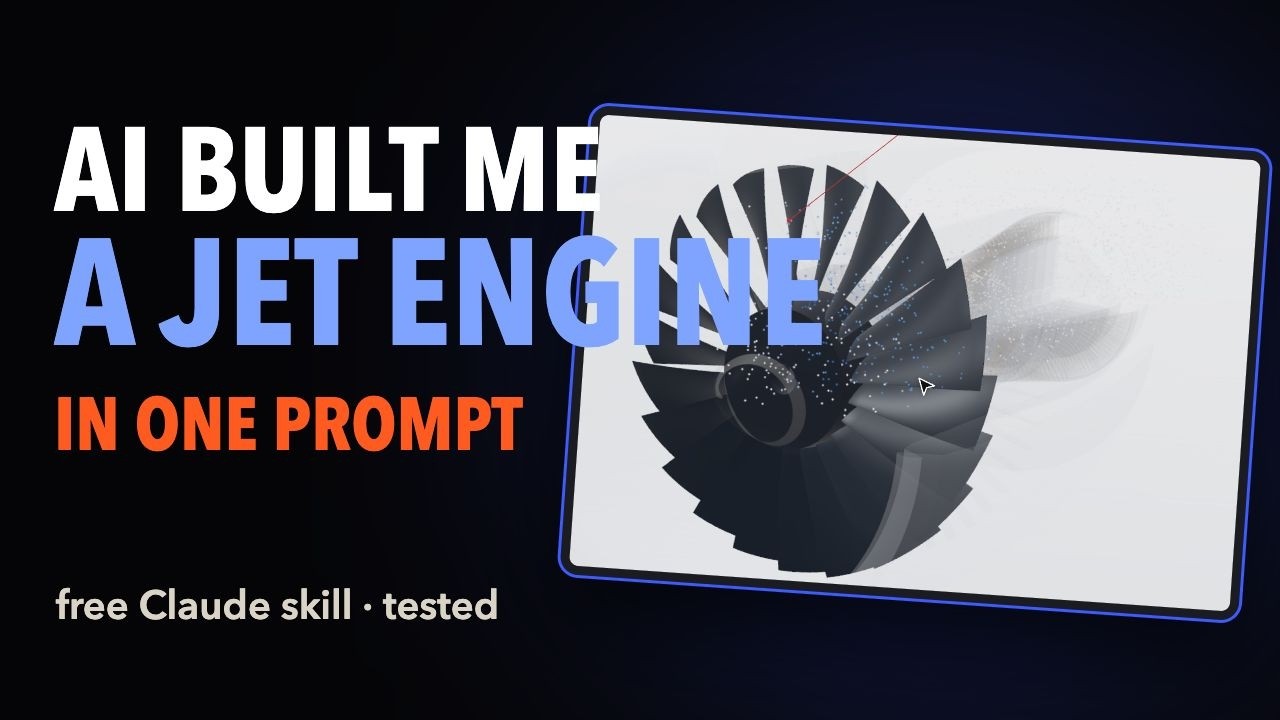 4:56
Heroic steps · YouTube
Stats checked Nov 6, 2026
 0:30
堀 宏史|AI教えて! @horiega · Nov 2
Prompt not collected for this entry. ▶ Play
Stats checked Nov 6, 2026
0:18Vorzen @0xVorzen · Nov 5
"Build a four-wing robot dragonfly in three.js, rendered with Remotion, with a light field-simulator dashboard. One input: motor rpm. A 10:1 gearbox drives one crank with two pins 90° apart, each pin drives a wing pair through a rocker. Compute wing beat, stroke and phase from those sizes and show them as live gauges. Modes: spool up, hover, cruise, exploded, land. Print every computed number as a check."
Stats checked Nov 6, 2026
 10:55
Alex & his AIs · YouTube
Stats checked Nov 6, 2026
 13:45
Cruzilux Studio · YouTube
Stats checked Nov 6, 2026
 0:18
Vorzen @0xVorzen · Nov 4
"Build a mechanical watch movement in three.js, rendered with Remotion. One input: simulated seconds. Balance at 4 Hz, the escape wheel advances one tooth per swing, every other wheel derives its angle from tooth counts. Compute every speed from the counts and print them as checks. Then explode it into labeled parts and put it back together."
Stats checked Nov 6, 2026
 5:31
Isabelle Hanson | Gold St Solutions | Claude · YouTube
Stats checked Nov 6, 2026
 0:36
Roman Khrupa @romankhrupa · Oct 29
Prompt not collected for this entry. ▶ Play
Stats checked Nov 6, 2026
 1:02
Jeremy Sallée @salleedesign · Nov 4
Prompt not collected for this entry. ▶ Play
Stats checked Nov 6, 2026
 11:41
Privacy-mojo · YouTube
Stats checked Nov 6, 2026
 10:00
Talal Awad · YouTube
Stats checked Nov 6, 2026
 0:10
Caleb Nwosu @calebnws · Nov 5
Prompt not collected for this entry. ▶ Play
Stats checked Nov 6, 2026
 4:57
River Road Labs @RiverRoadLabs · Oct 30
Prompt not collected for this entry. ▶ Play
Stats checked Nov 6, 2026
 0:47
Josiah Gallegos @josiahmarqus · Oct 22
Prompt not collected for this entry. ▶ Play
Stats checked Nov 6, 2026
 12:02
Palle de Groot-Poulsen · YouTube
Stats checked Nov 6, 2026
 4:13
Adam Vincent · YouTube
Stats checked Nov 6, 2026
 18:32
Palle de Groot-Poulsen · YouTube
Stats checked Nov 6, 2026
 7:52
Code Scrapper (English) · YouTube
Stats checked Nov 6, 2026
 11:11
M&N SkillTV · YouTube
Stats checked Nov 6, 2026
 0:31
✧.* edwins_. @EdwinSit1 · Oct 29
Prompt not collected for this entry. ▶ Play
Stats checked Nov 6, 2026
 0:29
Eli Greenfeld @Eli_Greenfeld · Nov 4
Prompt not collected for this entry. ▶ Play
Stats checked Nov 6, 2026
 0:15
Andrii | Online Income & Productivity @Dzintary_ua · Oct 25
Prompt not collected for this entry. ▶ Play
Stats checked Nov 6, 2026
 0:14
Cletus | Video Editor & Motion Designer @cletus_oriakhi · Oct 22
Prompt not collected for this entry. ▶ Play
Stats checked Nov 6, 2026
 0:36
Muhammad Afaq @afaqisme · Nov 1
Prompt not collected for this entry. ▶ Play
Stats checked Nov 6, 2026
 0:20
Juan Tolentino Huancas @JuanTolent23388 · Oct 22
Prompt not collected for this entry. ▶ Play
Stats checked Nov 6, 2026
 0:30
Abhinav krishna p @Abhinavkri30552 · Oct 17
Prompt not collected for this entry. ▶ Play
Stats checked Nov 6, 2026
 0:44
ポケヌシ|ROGNALIA @pocket_log_gpt · Nov 1
Prompt not collected for this entry. ▶ Play
Stats checked Nov 6, 2026
 0:52
Nox | Indie Apps & AI @OddHourBuilder · Oct 18
Prompt not collected for this entry. ▶ Play
Stats checked Nov 6, 2026
 3:18
LoFi Code Cafe · YouTube
Stats checked Nov 6, 2026
 6:27
socialcontentking · YouTube
Stats checked Nov 6, 2026
1:20M H Tawfik @M_H_Tawfk · Nov 5
Prompt not collected for this entry. ▶ Play
Stats checked Nov 6, 2026
 0:59
Calixte leblanc @calsaistudio · Nov 2
Prompt not collected for this entry. ▶ Play
Stats checked Nov 6, 2026
5:15Explainbrew · YouTube
Stats checked Nov 6, 2026
Choose the workflow that fits your project: use a coding agent with a renderer for editable animation code, or use Claude Motion inside Claude if your organization has access.
Claude writes an HTML animation; the HyperFrames skill renders it to MP4.
HyperFrames on GitHub ↗Claude writes React scenes; Remotion renders them. Remotion ships official agent skills.
Remotion skills ↗Anthropic's built-in animation artifact with MP4 export. Enabled by default on Team; an owner must enable it on Enterprise. It uses your plan's usage allowance.
Claude Motion guide ↗A music video from one sentence: we write the song and animate every scene to the beat. First 40 seconds US$19.
Try pdoomvideo →With Node.js and Claude Code installed, follow Remotion's official setup guide to create a project, add skills and open the preview:
npx create-video --yes --blank my-video
cd my-video
npx remotion skills add
npm run dev
The scaffold installs project dependencies. If it reports an installation failure, run npm install in my-video before continuing.
Open a separate terminal in my-video, start claude and give it your brief. The preview is a working view of the animation; exporting a video is a separate step.
The official Remotion skills cover creating a composition, previewing it with /remotion-studio, and rendering with /remotion-render. Check the result before sharing it.
For built-in Claude Motion, see Anthropic's access and export guide. Its organization controls are separate from Claude Code. Workflow documentation checked Oct 21, 2026; setup commands were not run as part of this library refresh.
Yes. Claude can write animation code using HTML, canvas or React, which can be rendered to video. Creator workflows vary: some examples also use supplied audio, images or generated reference footage. The library includes finished work and walkthroughs.
Mostly Opus 5.5 on high, xhigh or max effort. One remix here used Sonnet 5.5 on max effort with the same prompt.
For a local coding workflow, Claude Code can work with renderers such as Remotion or HyperFrames. Built-in Claude Motion is a separate beta on Team and Enterprise plans. For a music video without a local setup, pdoomvideo is another option.
Some creators in this library synthesized sound in code or supplied a separate track. That describes their workflows; it does not establish music or voice-over support in built-in Claude Motion. Check the tools and audio rights for your own project.
A prompt is the brief for a particular video. A skill is a reusable set of instructions for the coding agent. Neither is the finished video: a renderer still needs to export the animation code.
In built-in Claude Motion, choose Export, then MP4. In a Remotion project, rendering is separate from previewing; its official render skill can export a video. Ask for the output you need and check the exported file, including timing, text and audio.
Their creators. They play here through the official X and YouTube embeds, and we quote only the prompts creators shared publicly. To have a video removed, email hello@motion-graphics.org.